Beschreibung
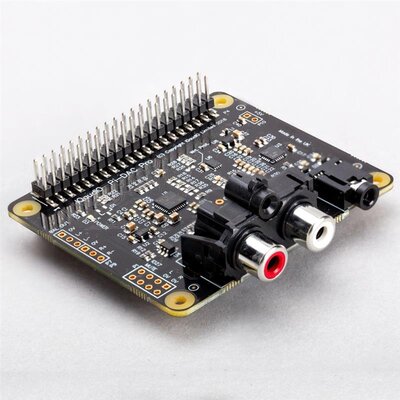
A super-simple, slimline way to hook up a hi-fi amp or powered speakers to your Raspberry Pi! Output punchy digital I2S audio whilst leaving your GPIO pins conveniently accessible.
SHIM is a old Yorkshire term meaning 'Shove Hardware In Middle' - we use it for our Raspberry Pi add-ons that are designed to be sandwiched between your Pi and a HAT or mini HAT. This one has a clever friction fit header which slips handily over your GPIO pins, requires zero soldering* and is easily removable.
The PCM5100A DAC chip takes high quality digital audio from your Pi and pipes out crisp, line-level 24-bit / 192KHz stereo audio through the 3.5mm jack. Because Audio DAC SHIM adds no extra bulk to your Pi it's perfect for fitting inside sleek cases or hiding inside hi-fis, media centres or radiograms - letting you play music or stream digital radio through that still perfectly good sound system. It's also a handy way to add an an audio output to your Pi Zero or Pi 400!
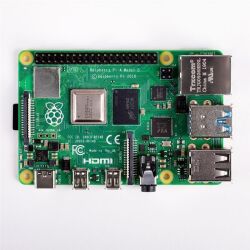
Please note a Raspberry Pi is not included with this board (but check out the extras tab if you'd like to buy one!)
Features
- PCM5100A DAC chip (datasheet)
- Line-level digital audio (24-bit / 192KHz) over I2S
- 3.5mm stereo jack
- SHIM-format board with friction-fit connectors
- 2x mounting holes (M2.5) for if you want to secure everything together with bolts
- Fully-assembled
- No soldering required (*unless you're using a Pi that comes without a header)
- Compatible with all 40-pin header Raspberry Pi models
- Dimensions: 66.5 x 16.2 x 5.2mm (L x W x D, including 3.5mm jack)
Software
The easiest way to get everything set up is to to use our Pirate Audio software and installer which configures I2S audio, as well as installing Mopidy and our custom Pirate Audio plugins which will let you stream Spotify or play local files.
Here's how to get started:
- Set an SD card up with the latest version of Raspberry Pi OS.
- Connect to Wi-Fi or a wired network.
- Open a terminal and type the following:
git clone https://github.com/pimoroni/pirate-audio

cd pirate-audio/mopidy

sudo ./install.sh - Reboot your Pi
You can find more detailed instructions here: https://github.com/pimoroni/pirate-audio/tree/master/mopidy or get tons more info in our Getting Started with Pirate Audio tutorial.
Alternatively, if you'd rather not install all the Mopidy stuff, you can set Audio Amp SHIM as your default Alsa device in Raspberry Pi OS by adding the following line to your /boot/config.txt file:
dtoverlay=hifiberry-dac
If you're using a Pi that has an audio jack you might also need to disable onboard audio by adding a # to the beginning of the following line (this can help applications find the correct audio device automatically):
#dtparam=audio=onNotes
- You can use an Audio DAC SHIM with HATs and mini HATs without a booster header, as long as they don't have any chunky components on the underside (it's a good idea to check there are no metal components on the underside of your HAT that touch the metal components on the top of the SHIM).
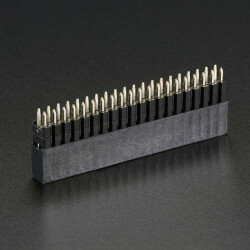
- If you want to use one with a Pibow Coupé case (either for the Zero / Zero W or Pi 4), then you'll need to use a booster header to raise it up a little.
- If you're planning on using Audio DAC SHIM to add an audio output to your Pi 400, you'll also need a booster header. If you're plugging it directly into the back of a Pi 400, bear in mind that the SHIM should be upside down, with the mounting holes at the bottom. Alternatively, you could plug it in via a Flat HAT Hacker (in which case you won't need a booster header or to plug anything in upside down).
- Audio DAC SHIM uses GPIO 18, 19, and 21 (as well as 5v and various Grounds). If you're planning on using it in conjunction with other boards you'll need to check for pin conflicts using pinout.xyz.
, ,